Roofing Scheduling Software: Keeping Crews, Weather, and Customers in One Calendar
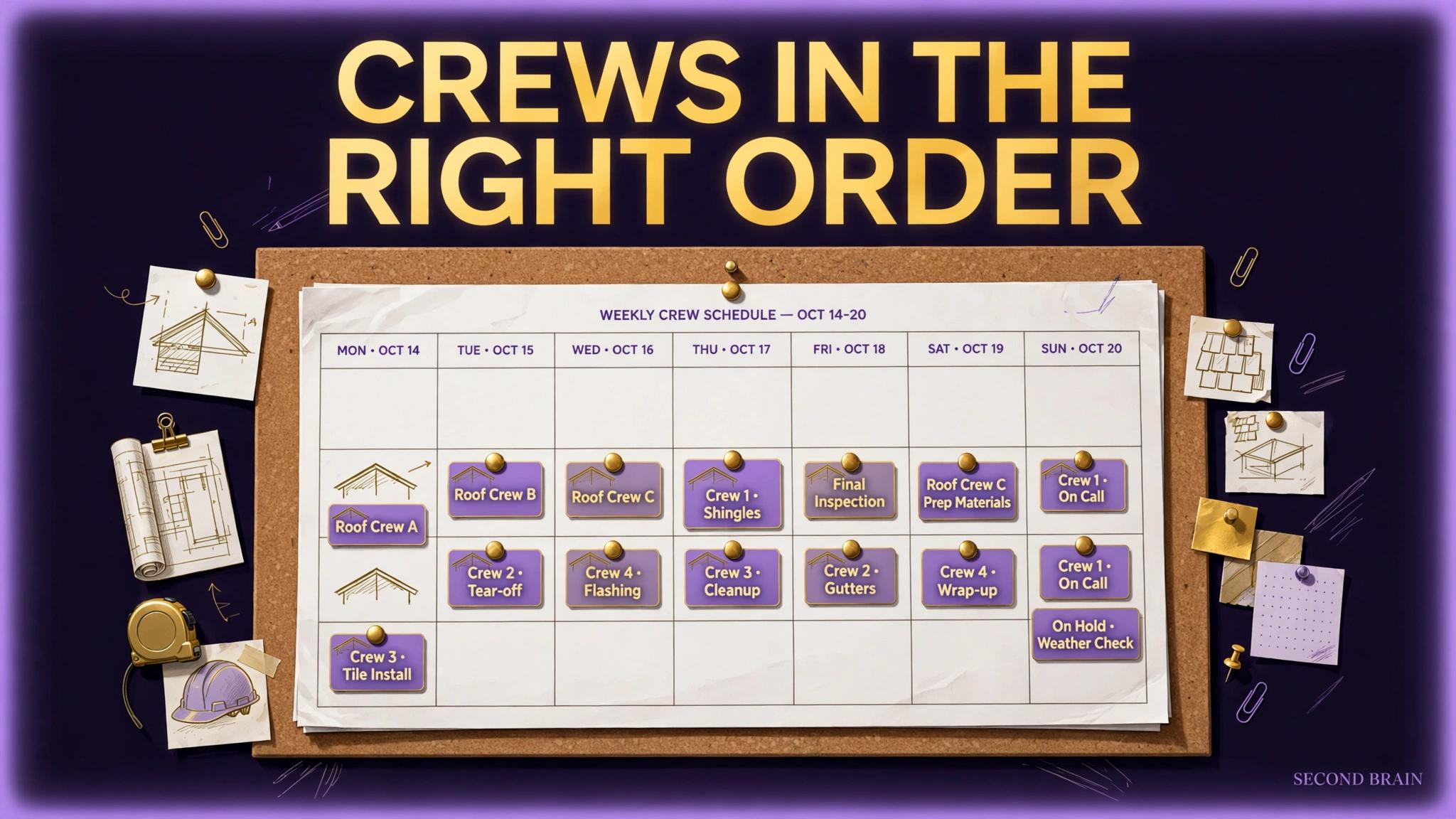
TL;DR: Roofing scheduling software has one hard job: keeping the plan true when the week changes. Weather moves a job, materials slip a day, a crew lead calls in sick, and every affected customer needs to know. Judge any tool on how fast a dispatcher can rebuild a day, how clearly crews see their assignments on a phone, and whether customers get notified from the same record, not from memory.
Key Takeaways
- Roofing scheduling software has one hard job: keeping the plan true when the week changes.
- Start with the failure pattern you can verify in your own records: Schedules living in one person's head or on a whiteboard: When the dispatcher is away, the plan is away.
- Work in sequence: List the events that break your schedule most often, and use them as the test script for any tool. Then: Require drag and drop rescheduling with automatic prompts to notify the affected crew and customer.
- Judge the result with your own numbers: One calendar is the single source of truth, and the whiteboard, if it exists, is a printout of it.
A roofing schedule is a promise made to weather. The plan written on Monday meets rain on Wednesday and a late material delivery on Thursday. Generic calendars record the plan; they do not help rebuild it. This guide sets out what scheduling software must do for a roofing operation specifically, and how to test it against the worst week you can remember, not the best.
What makes roofing scheduling different from a normal calendar?
None of these points requires new software to diagnose. A notebook, your last month of jobs, and one honest hour will tell you which of them is yours.
- Schedules living in one person's head or on a whiteboard. When the dispatcher is away, the plan is away.
- Changes communicated by group text. Crew and customer notifications rebuilt by hand for every weather move, with someone always missed.
- No link between schedule and job record. The calendar knows the date but not the materials status, the permit, or the balance owed.
- Customers learning about delays from silence. The fastest way to turn a weather delay into a bad review is to say nothing.
What must the software handle on a bad week?
- List the events that break your schedule most often, and use them as the test script for any tool.
- Require drag and drop rescheduling with automatic prompts to notify the affected crew and customer.
- Check the crew view on a phone: today's job, address, scope, and contact, without office help.
- Connect the schedule to the job record so materials and stage gates are visible before a crew is dispatched.
- Trial the tool through one genuinely disrupted week before committing the whole operation.
Notice what the sequence does not include: a purchase decision in the middle. The steps build the requirement from your own operation first, so that when a purchase does appear, it is answering a written need in your words, not a demo in the vendor's.
How do crews and customers stay in the same picture?
Illustrative example only: a rain day moving 3 jobs creates 3 crew notifications, 3 customer calls, and 3 new dates to confirm. In a connected tool that is one reschedule action with prompts; on a whiteboard it is an hour of phone tag. The counts are illustrative; replay your last weather week to get your own numbers.
The mistakes that most often undo this work:
- Testing only on a calm demo week, when every scheduling tool looks competent.
- Keeping the whiteboard as the real schedule after purchase, which makes the software a copy of the truth instead of the truth.
- Over automating customer messages about delays. A weather move deserves a human voice for high value jobs, supported by the system, not replaced by it.
How should you trial scheduling software?
You know this is working when you can check the following against your own records, without asking anyone to prepare a report:
- One calendar is the single source of truth, and the whiteboard, if it exists, is a printout of it.
- Every schedule change triggers a customer notification step that cannot be skipped silently.
- Crews confirm assignments from the tool, verified by spot checks, not by asking the dispatcher.
Related reading from this program: roofing project management software, roofing software for a small business, HVAC maintenance plan revenue.
Second Brain builds and runs systems like these for service businesses, and the engagement always starts the same way: find where the work is actually being lost, in what order, and what evidence would prove a fix worked. If this guide's diagnosis matches your operation, that audit is the honest next step. If it does not match, you have saved yourself a purchase, which is also a good outcome.
Scheduling also runs the programs that recur: roof maintenance software keeps inspection cycles and renewals moving without a person remembering each one.
FAQ
Is scheduling software separate from project management software?
Often it is a module inside a project or job platform. Judge the scheduling function on its own merits either way: rebuild speed, crew view, and customer notification. A strong suite with weak scheduling still leaves the dispatcher exposed.
How should weather decisions be recorded?
In the tool, on the job record, with the customer notification logged. Six months later, that record settles questions about delays better than anyone's memory.
Can customers see their own schedule slot?
Some tools offer customer facing updates. They help when they are accurate; they hurt when the underlying schedule is not maintained. Fix the internal habit first.
What is the buying red flag?
A demo that never breaks the plan. Ask the salesperson to move a full day of jobs live, notify everyone, and show you the audit trail. The pause before they answer is information.
Sources
- Keyword basis: mined queue (SE Ranking, pulled 2026-10-23, US, desktop) entry "roofing scheduling software", ESTIMATED volume 20, ESTIMATED difficulty 30, intent informational. Mined figures are estimates, unvalidated against our own GSC and PostHog data, and no mined figure is claimed as a result in this post.
- Internal link targets: roofing-project-management-software, roofing-software-for-small-business, hvac-maintenance-plan-revenue (live, staged, or drafted in this same program, checked 2026-10-23).
- No external statistics, market prices, or client claims are made in this post. Worked figures are labelled illustrative in the text, and guidance is stated as general practice from implementation and operations work.